Name The name can have up to 40 characters. It must be unique among all of the wire types in the library.
Calculation method Choose one of the three methods available:
Reactance: Specify the ac resistance and the reactance at one foot spacing.
GMR: Specify the dc resistance and the geometric mean radius.
Permeability: Specify the dc resistance and the skin thickness-to-diameter ratio.
The data fields in the Wire Data Form will change depending on your choice of the calculation method.
Outside diameter Outside diameter of the wire.
DC resistance The wire’s dc resistance in Ohm/mi or Ohms/km. This datum is required only if the calculation method is GMR or Permeability. You must enter the dc resistance in the Temperature/DC Resistance data grid in the middle of the dialog box. (Use the Open, Delete and Add buttons under this data grid to manage this datum.)
AC resistance The resistance of the wire taking into account the skin effect. This datum is required only for the Reactance method of calculation. You must enter the ac resistance in the Temperature/AC Resistance data grid in the middle of the dialog box. . (Use the Open, Delete and Add buttons under this data grid to manage this datum.)
GMR The wire’s geometric mean radius. This parameter is commonly found in technical literature provided by the wire manufacturer.
Reactance Wire reactance at one foot (30cm) spacing. This parameter is commonly found in technical literature provided by wire manufacturer. The spacing of one foot is assumed regardless of your choice of metric or English unit of length.
Skin thickness/Diameter Ratio between wire skin thickness and diameter. This ratio is 0.5 for a solid wire. This datum is required only for the Permeability method of calculation.
Note: Modifying the properties of a wire type will affect line constants results of all lines in the database that utilize that wire type.
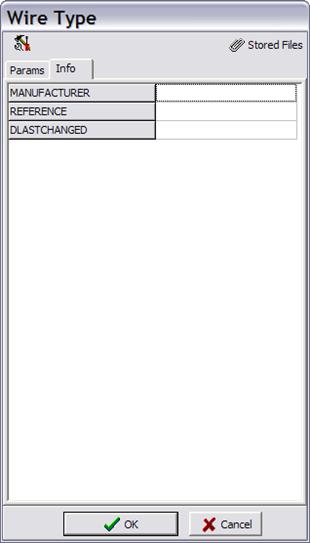
INFO TAB
Press on the Info tab for more information on this wire.
Info fields
Custom data fields. With the exception of the DLASTCHANGED field (the date this
form was last changed), the Administrator can customize the data fields on this
form by press the  button at the top
of this form.
button at the top
of this form.
Stored files These are file attached to the current wire data record. There is no limit on the number and type of files that can be attached. Press the paperclip symbol at the upper right corner to store or retried files.