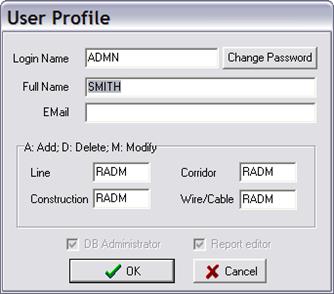
The Tools | User Profile command displays current user information and database access privileges. You can change the user password with this command. This command is available in Line Database Enterprise version only.
TO DISPLAY USER PROFILE:
1. Select Tools | User Profile. A dialog will appear.
2. Enter full name and email address.
3. Click on Change Password to enter a new login password. You will be asked to enter the existing password before the new one is recorded in the database.
Note: The Administrator can also change user password using Tools | User management command.
4. Press OK to close the dialog box.
Main Window
TOOLS MENU