 . A dialog
box will appear.
. A dialog
box will appear.An impedance line section must be placed in a corridor.
TO SPECIFY THE SECTION PLACEMENT
1. Click on the
Section Placement button . A dialog
box will appear.
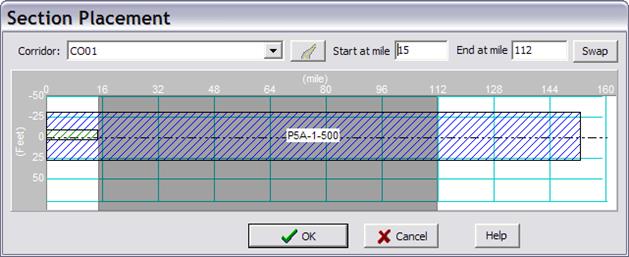
2a. Select a corridor from the Corridor dropdown list. All constructions in the corridor will be displayed in layout view.
2.b. Press the
button  if you want to open the
corridor data form to modify the construction in the corridor or to create a new
corridor.
if you want to open the
corridor data form to modify the construction in the corridor or to create a new
corridor.
3. Enter the section Start and End markings. These distances are measured from the beginning of the selected corridor. An impedance line section can be placed at the same corridor where an overhead construction already exists. However the program will ignore any possible mutual coupling between this and any other circuits in impedance calculation.