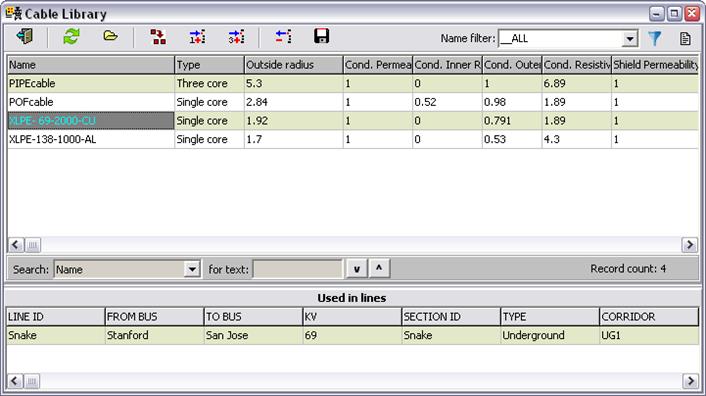
The Cable Library Form displays all the single- and three-core cable types in the database.
You can open by form by pressing the Cable Library button  in the main window’s tool bar or by
selecting the menu command Form | Cable Library. Only a single instance of this
form can be opened at any time.
in the main window’s tool bar or by
selecting the menu command Form | Cable Library. Only a single instance of this
form can be opened at any time.
Each row in the data grid is for one cable type. The total number of records in the list is displayed in the lower right corner of the data grid. .
You can sort the cable data using information within any one of the columns. To sort the wire data by the cable radius, for example, all you need to do is to click once on the column label “Outside radius”.
You can filter the data in the grid by require the cable name to satisfy certain criterion. Please see explanation for the Name Filter button below.
When a row is selected, the program displays in the second data
grid a list of line sections where the cable type is in use. The program will
also display the memo field for that cable type in a read-only box to the right.
(Press the  button if the memo field
is not visible.)
button if the memo field
is not visible.)